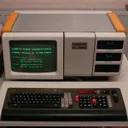

Geht ja um die aktuelle Titan
Steht ja nicht da ![]()
Find' ich persönlich aber ziemlich blöde, die (fast) gleich zu benennen wie ältere Modelle...
Geht ja um die aktuelle Titan
Steht ja nicht da ![]()
Find' ich persönlich aber ziemlich blöde, die (fast) gleich zu benennen wie ältere Modelle...
Ist die Titan nicht auch schon 'n ganz paar Jahre alt?
HP-UX 11i v3 (aka 11.31) ist wimre nur noch für Server (früher: HP 9000 Series 800) gedacht, auf Workstations (früher: HP 9000 Series 700) läuft das nicht mehr. Oreissig hatte sich wimre mal die Mühe gemacht und eine frühe 11.31-Version für die C8000 (oder wars allgemein für die Series 700?) angepasst, aber bei den neueren HP-UX 11.31-Releases ging das nimmer.
So, die Blade 1000 ist nun einsatzbereit bei mir. Macht (alleine) zwischen 20 und 40 fps, je nach dem, was angezeigt wird. Nur in den freien Himmel darf' ich nicht guggen, das ist Brainfuck^10 ![]()
Bei mir startet der SteamVR Performance Test nütt. Geht kurz 'n Fenster auf, wo steht, ich soll 'ne Weile warten - und dann gehts ohne Meldung wieder zu ![]()
Vier funktionierende Todessterne:
IBM DTLA-305030
smartctl 5.41 2011-03-16 r3296 [i686-pc-linux-gnu-2.6.38-grml] (local build)
Copyright (C) 2002-11 by Bruce Allen, http://smartmontools.sourceforge.net
=== START OF INFORMATION SECTION ===
Model Family: IBM Deskstar 40GV & 75GXP series (A5AA/A6AA firmware)
Device Model: IBM-DTLA-305030
Serial Number: YG0YGL68185
Firmware Version: TW3OA6AA
User Capacity: 30.738.677.760 bytes
Device is: In smartctl database [for details use: -P show]
ATA Version is: 5
ATA Standard is: ATA/ATAPI-5 T13 1321D revision 1
Local Time is: Mon Feb 22 10:25:32 2016 CET
SMART support is: Available - device has SMART capability.
SMART support is: Enabled
=== START OF READ SMART DATA SECTION ===
SMART overall-health self-assessment test result: PASSED
General SMART Values:
Offline data collection status: (0x00) Offline data collection activity
was never started.
Auto Offline Data Collection: Disabled.
Self-test execution status: ( 0) The previous self-test routine completed
without error or no self-test has ever
been run.
Total time to complete Offline
data collection: ( 1985) seconds.
Offline data collection
capabilities: (0x1b) SMART execute Offline immediate.
Auto Offline data collection on/off support.
Suspend Offline collection upon new
command.
Offline surface scan supported.
Self-test supported.
No Conveyance Self-test supported.
No Selective Self-test supported.
SMART capabilities: (0x0003) Saves SMART data before entering
power-saving mode.
Supports SMART auto save timer.
Error logging capability: (0x01) Error logging supported.
No General Purpose Logging support.
Short self-test routine
recommended polling time: ( 1) minutes.
Extended self-test routine
recommended polling time: ( 22) minutes.
SMART Attributes Data Structure revision number: 16
Vendor Specific SMART Attributes with Thresholds:
ID# ATTRIBUTE_NAME FLAG VALUE WORST THRESH TYPE UPDATED WHEN_FAILED RAW_VALUE
1 Raw_Read_Error_Rate 0x000b 098 098 060 Pre-fail Always - 65539
2 Throughput_Performance 0x0005 100 100 050 Pre-fail Offline - 0
3 Spin_Up_Time 0x0007 100 100 024 Pre-fail Always - 0
4 Start_Stop_Count 0x0012 100 100 000 Old_age Always - 3
5 Reallocated_Sector_Ct 0x0033 100 100 005 Pre-fail Always - 11
7 Seek_Error_Rate 0x000b 100 100 067 Pre-fail Always - 0
8 Seek_Time_Performance 0x0005 100 100 020 Pre-fail Offline - 0
9 Power_On_Hours 0x0012 100 100 000 Old_age Always - 3
10 Spin_Retry_Count 0x0013 100 100 060 Pre-fail Always - 0
12 Power_Cycle_Count 0x0032 100 100 000 Old_age Always - 3
192 Power-Off_Retract_Count 0x0032 100 100 050 Old_age Always - 3
193 Load_Cycle_Count 0x0012 100 100 050 Old_age Always - 3
194 Temperature_Celsius 0x0002 144 144 000 Old_age Always - 38
196 Reallocated_Event_Count 0x0032 100 100 000 Old_age Always - 11
197 Current_Pending_Sector 0x0022 100 100 000 Old_age Always - 0
198 Offline_Uncorrectable 0x0008 100 100 000 Old_age Offline - 0
199 UDMA_CRC_Error_Count 0x000a 200 200 000 Old_age Always - 0
SMART Error Log Version: 1
No Errors Logged
SMART Self-test log structure revision number 1
No self-tests have been logged. [To run self-tests, use: smartctl -t]
Device does not support Selective Self Tests/Logging
Alles anzeigen
IBM DTLA-307030
smartctl 5.41 2011-03-16 r3296 [i686-pc-linux-gnu-2.6.38-grml] (local build)
Copyright (C) 2002-11 by Bruce Allen, http://smartmontools.sourceforge.net
=== START OF INFORMATION SECTION ===
Model Family: IBM Deskstar 40GV & 75GXP series (A5AA/A6AA firmware)
Device Model: IBM-DTLA-307030
Serial Number: YKEYKML7553
Firmware Version: TX4OA6AA
User Capacity: 30.738.677.760 bytes
Device is: In smartctl database [for details use: -P show]
ATA Version is: 5
ATA Standard is: ATA/ATAPI-5 T13 1321D revision 1
Local Time is: Mon Feb 22 06:55:51 2016 CET
SMART support is: Available - device has SMART capability.
SMART support is: Enabled
=== START OF READ SMART DATA SECTION ===
SMART overall-health self-assessment test result: PASSED
General SMART Values:
Offline data collection status: (0x00) Offline data collection activity
was never started.
Auto Offline Data Collection: Disabled.
Self-test execution status: ( 0) The previous self-test routine completed
without error or no self-test has ever
been run.
Total time to complete Offline
data collection: ( 1762) seconds.
Offline data collection
capabilities: (0x1b) SMART execute Offline immediate.
Auto Offline data collection on/off support.
Suspend Offline collection upon new
command.
Offline surface scan supported.
Self-test supported.
No Conveyance Self-test supported.
No Selective Self-test supported.
SMART capabilities: (0x0003) Saves SMART data before entering
power-saving mode.
Supports SMART auto save timer.
Error logging capability: (0x01) Error logging supported.
No General Purpose Logging support.
Short self-test routine
recommended polling time: ( 2) minutes.
Extended self-test routine
recommended polling time: ( 19) minutes.
SMART Attributes Data Structure revision number: 16
Vendor Specific SMART Attributes with Thresholds:
ID# ATTRIBUTE_NAME FLAG VALUE WORST THRESH TYPE UPDATED WHEN_FAILED RAW_VALUE
1 Raw_Read_Error_Rate 0x000b 099 099 060 Pre-fail Always - 2
2 Throughput_Performance 0x0005 100 100 050 Pre-fail Offline - 0
3 Spin_Up_Time 0x0007 100 100 024 Pre-fail Always - 0
4 Start_Stop_Count 0x0012 100 100 000 Old_age Always - 2
5 Reallocated_Sector_Ct 0x0033 100 100 005 Pre-fail Always - 5
7 Seek_Error_Rate 0x000b 100 100 067 Pre-fail Always - 0
8 Seek_Time_Performance 0x0005 100 100 020 Pre-fail Offline - 0
9 Power_On_Hours 0x0012 100 100 000 Old_age Always - 3
10 Spin_Retry_Count 0x0013 100 100 060 Pre-fail Always - 0
12 Power_Cycle_Count 0x0032 100 100 000 Old_age Always - 2
192 Power-Off_Retract_Count 0x0032 100 100 050 Old_age Always - 2
193 Load_Cycle_Count 0x0012 100 100 050 Old_age Always - 2
194 Temperature_Celsius 0x0002 157 157 000 Old_age Always - 35
196 Reallocated_Event_Count 0x0032 100 100 000 Old_age Always - 5
197 Current_Pending_Sector 0x0022 100 100 000 Old_age Always - 0
198 Offline_Uncorrectable 0x0008 100 100 000 Old_age Offline - 0
199 UDMA_CRC_Error_Count 0x000a 200 200 000 Old_age Always - 0
SMART Error Log Version: 1
No Errors Logged
SMART Self-test log structure revision number 1
No self-tests have been logged. [To run self-tests, use: smartctl -t]
Device does not support Selective Self Tests/Logging
Alles anzeigen
IBM DTLA-307045
smartctl 5.41 2011-03-16 r3296 [i686-pc-linux-gnu-2.6.38-grml] (local build)
Copyright (C) 2002-11 by Bruce Allen, http://smartmontools.sourceforge.net
=== START OF INFORMATION SECTION ===
Model Family: IBM Deskstar 40GV & 75GXP series (A5AA/A6AA firmware)
Device Model: IBM-DTLA-307045
Serial Number: YMCYMMZ9226
Firmware Version: TX6OA6AA
User Capacity: 46.115.758.080 bytes
Device is: In smartctl database [for details use: -P show]
ATA Version is: 5
ATA Standard is: ATA/ATAPI-5 T13 1321D revision 1
Local Time is: Mon Feb 22 03:26:56 2016 CET
SMART support is: Available - device has SMART capability.
SMART support is: Enabled
=== START OF READ SMART DATA SECTION ===
SMART overall-health self-assessment test result: PASSED
General SMART Values:
Offline data collection status: (0x00) Offline data collection activity
was never started.
Auto Offline Data Collection: Disabled.
Self-test execution status: ( 0) The previous self-test routine completed
without error or no self-test has ever
been run.
Total time to complete Offline
data collection: ( 2294) seconds.
Offline data collection
capabilities: (0x1b) SMART execute Offline immediate.
Auto Offline data collection on/off support.
Suspend Offline collection upon new
command.
Offline surface scan supported.
Self-test supported.
No Conveyance Self-test supported.
No Selective Self-test supported.
SMART capabilities: (0x0003) Saves SMART data before entering
power-saving mode.
Supports SMART auto save timer.
Error logging capability: (0x01) Error logging supported.
No General Purpose Logging support.
Short self-test routine
recommended polling time: ( 2) minutes.
Extended self-test routine
recommended polling time: ( 28) minutes.
SMART Attributes Data Structure revision number: 16
Vendor Specific SMART Attributes with Thresholds:
ID# ATTRIBUTE_NAME FLAG VALUE WORST THRESH TYPE UPDATED WHEN_FAILED RAW_VALUE
1 Raw_Read_Error_Rate 0x000b 100 100 060 Pre-fail Always - 65536
2 Throughput_Performance 0x0005 100 100 050 Pre-fail Offline - 0
3 Spin_Up_Time 0x0007 100 100 024 Pre-fail Always - 0
4 Start_Stop_Count 0x0012 100 100 000 Old_age Always - 2
5 Reallocated_Sector_Ct 0x0033 100 100 005 Pre-fail Always - 9
7 Seek_Error_Rate 0x000b 100 100 067 Pre-fail Always - 0
8 Seek_Time_Performance 0x0005 100 100 020 Pre-fail Offline - 0
9 Power_On_Hours 0x0012 100 100 000 Old_age Always - 7
10 Spin_Retry_Count 0x0013 100 100 060 Pre-fail Always - 0
12 Power_Cycle_Count 0x0032 100 100 000 Old_age Always - 2
192 Power-Off_Retract_Count 0x0032 100 100 050 Old_age Always - 2
193 Load_Cycle_Count 0x0012 100 100 050 Old_age Always - 2
194 Temperature_Celsius 0x0002 152 152 000 Old_age Always - 36
196 Reallocated_Event_Count 0x0032 100 100 000 Old_age Always - 11
197 Current_Pending_Sector 0x0022 100 100 000 Old_age Always - 0
198 Offline_Uncorrectable 0x0008 100 100 000 Old_age Offline - 0
199 UDMA_CRC_Error_Count 0x000a 200 200 000 Old_age Always - 0
SMART Error Log Version: 1
No Errors Logged
SMART Self-test log structure revision number 1
No self-tests have been logged. [To run self-tests, use: smartctl -t]
Device does not support Selective Self Tests/Logging
Alles anzeigen
IBM DTLA-307075
smartctl 5.41 2011-03-16 r3296 [i686-pc-linux-gnu-2.6.38-grml] (local build)
Copyright (C) 2002-11 by Bruce Allen, http://smartmontools.sourceforge.net
=== START OF INFORMATION SECTION ===
Model Family: IBM Deskstar 40GV & 75GXP series (A5AA/A6AA firmware)
Device Model: IBM-DTLA-307075
Serial Number: YSDYSG63983
Firmware Version: TXAOA5AA
User Capacity: 76.869.918.720 bytes
Device is: In smartctl database [for details use: -P show]
ATA Version is: 5
ATA Standard is: ATA/ATAPI-5 T13 1321D revision 1
Local Time is: Sun Feb 21 20:15:18 2016 CET
SMART support is: Available - device has SMART capability.
SMART support is: Enabled
=== START OF READ SMART DATA SECTION ===
SMART overall-health self-assessment test result: PASSED
General SMART Values:
Offline data collection status: (0x00) Offline data collection activity
was never started.
Auto Offline Data Collection: Disabled.
Self-test execution status: ( 0) The previous self-test routine completed
without error or no self-test has ever
been run.
Total time to complete Offline
data collection: ( 3356) seconds.
Offline data collection
capabilities: (0x1b) SMART execute Offline immediate.
Auto Offline data collection on/off support.
Suspend Offline collection upon new
command.
Offline surface scan supported.
Self-test supported.
No Conveyance Self-test supported.
No Selective Self-test supported.
SMART capabilities: (0x0003) Saves SMART data before entering
power-saving mode.
Supports SMART auto save timer.
Error logging capability: (0x01) Error logging supported.
No General Purpose Logging support.
Short self-test routine
recommended polling time: ( 2) minutes.
Extended self-test routine
recommended polling time: ( 45) minutes.
SMART Attributes Data Structure revision number: 16
Vendor Specific SMART Attributes with Thresholds:
ID# ATTRIBUTE_NAME FLAG VALUE WORST THRESH TYPE UPDATED WHEN_FAILED RAW_VALUE
1 Raw_Read_Error_Rate 0x000b 100 100 060 Pre-fail Always - 0
2 Throughput_Performance 0x0005 100 100 050 Pre-fail Offline - 0
3 Spin_Up_Time 0x0007 100 100 024 Pre-fail Always - 0
4 Start_Stop_Count 0x0012 100 100 000 Old_age Always - 2
5 Reallocated_Sector_Ct 0x0033 100 100 005 Pre-fail Always - 7
7 Seek_Error_Rate 0x000b 100 100 067 Pre-fail Always - 0
8 Seek_Time_Performance 0x0005 100 100 020 Pre-fail Offline - 0
9 Power_On_Hours 0x0012 100 100 000 Old_age Always - 6
10 Spin_Retry_Count 0x0013 100 100 060 Pre-fail Always - 0
12 Power_Cycle_Count 0x0032 100 100 000 Old_age Always - 2
192 Power-Off_Retract_Count 0x0032 100 100 050 Old_age Always - 2
193 Load_Cycle_Count 0x0012 100 100 050 Old_age Always - 2
194 Temperature_Celsius 0x0002 122 122 000 Old_age Always - 45
196 Reallocated_Event_Count 0x0032 100 100 000 Old_age Always - 16
197 Current_Pending_Sector 0x0022 100 100 000 Old_age Always - 0
198 Offline_Uncorrectable 0x0008 100 100 000 Old_age Offline - 0
199 UDMA_CRC_Error_Count 0x000a 200 200 000 Old_age Always - 0
SMART Error Log Version: 1
No Errors Logged
SMART Self-test log structure revision number 1
No self-tests have been logged. [To run self-tests, use: smartctl -t]
Device does not support Selective Self Tests/Logging
Alles anzeigen
Öhm, war nicht SATA zu SAS nur in eine Richtung kompatibel? Also SATA-Platte an SAS-Controller - aber nicht SAS-Platte an SATA-Controller?
Das dürfte in deinem Fall man Intel 945 Chipsatz liegen, der 945er unterstützt kein Memory Remapping und kann deshalb nur 3,25 GB RAM nutzen, das selbe Problem habe ich bei meinem Dell Latitude D620 Notebook oder auch bei meinem Dell Dimension 5150 PC und auch ein Asus P5LD2 kann nicht mehr als 3,25 GB nutzen, alle haben einen Intel 945 Chipsatz.
Jo, liegt auch am i945PM. Aber hat gegenüber der 1+2GB-Variante den Vorteil, dass die 3(,25) GB wenigstens im Dual-Channel rennen - und nicht im Single-Channel.
Ein 32 Bit Serverbetriebssystem, ab 2003-2008 R1 kann mehr als 4 GB RAM verwalten
Steht da was von Windows Server? Nein. Also -> unnötig.
Da wird wohl der Chipsatz Späne machen - kenne ich von meinem ThinkPad T60p. Hat auch 4 GB drin, werden aber nur 3,25 GB genutzt, der Rest ist mit anderem Krempel belegt. Egal, ob nun 32 oder 64 Bit.
Irgendwie muss ich mir mal bessere Kopfhörer zulegen. Irgendwie bringen die Sony MDR-XD200 'n bissl wenig Bass - im Auto hört sich manches Lied merklich satter an.
@Topic: Against the current - Outsiders
Ich wollte gerne mal reinschnuppern und habe gleich ein Problem: Ich habe 1000Fps+. Damit bekomme ich "Connection Interrupted" nach dem Joinen. Um Spielen zu können, bräuchte ich vernünftige FPS-Zahlen. Habe öfters von einer Konsole gelesen, was kann ich tun?
Die Konsole geht wimre mit "^" auf - kann aber wimre auch anders sein - so recht hab' ich das (zumindest beim originalen Quake III Arena) noch nicht kapiert, wann das wo ist...
Bleibt der Server jetzt dauerhaft online? Hab' nämlich die Sun Blade 1000 jetzt hier und würd' damit mal etwas guggen, wie es klappt.
An welcher Hardware haste denn gespielt?
ThinkPad W700ds - wie vorher schon angekündigt. Die Blade ist noch nicht hier - und das PowerBook hab' ich nicht hinbekommen...
Aber im Ernst, hattet Ihr auch teils starke Lags, so, als ob der Server mit der Berechnung nicht hinterherkommt?
Also ich hatte keine Lags öö Lief immer flüssig.
Jo, die fps sind bei ioquake3 oben rechts. Stand bei mir (fast) immer konstant auf 90 fps - ist wohl 'n Limiter drin. Obwohl es bei vieler Nutzung von Plasmaguns auch mal kurz (unter 1 s) mal runter ging. Ich glaub', mit dem PowerBook G4 wäre das so nicht machbar gewesen ![]()
Teamdeathmatch oder sowas (CTF gibts wohl auch?) wäre auch nice - so ballert man ja "nur" auf das, was sich bewegt.
Bin eben schon auf dem Server gewesen, war aber noch niemand drauf.
Da warst du das
Hab' vor ein paar Minuten mal draufgeguggt, aber mich noch nicht eingeloggt...
WHF hat doch schon lange einen funktionieren Q3 Server...
Wuut? Seit wann denn das?
Ich hab den Dienst heute morgen beendet, starte ich gleich wieder.
Nice
Mit Map-Change? Wäre nice
Die Map von gestern war *etwas* klein, fand' ich
Zumindest für 4..5 Spieler.
Ist die IP die selbe wie gestern? Unter der passiert bei mir nix mehr - kein Server vorhanden.