

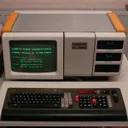

Commodore 1084X? Wasn das?
Das Bild wirkt jetzt eher nicht "echt" auf mich...
Commodore 1084X? Wasn das?
Das Bild wirkt jetzt eher nicht "echt" auf mich...
Meine beiden RFT-Digital-Multimeter DM2020 und G-1002.500  Waren (wie so oft) die Sicherungen (und tlw. auch die Sicherungshalter) weggegammelt. Beim DM2020 hab ich die Halter rausgeworfen, beim G-1002.500 gings zum Glück noch ohne.
Nun müsste ich nur noch schauen, was der Frequenzzähler G-2001.500 hat. Aber den hab' ich natürlich nicht hier 
MS-6318 ist die Mainboard-Bezeichnung von MSI. Da hab' ich schon geguggt - da findeste leider nix mehr.
Daher ja der Hinweis mit dem Medion-Forum - die haben vllt. noch den einen oder anderen User, der dazu was hat.

Macht doch kein unterschied, ob die "Soundkarte" onbord ist, die wird auch nicht anderster angeschlossen wie eine die man dazu Steckt.
Der Richtige Treiber ist nur Wichtig.
Klar machts einen Unterschied. Ob ich nun Treiber für einen speziellen Chip suche (bei dem vermutlich kaum jemand aus dem Kopf weiß, ob er auf seinem Mainboard steckt) oder gleich dazu sage, wo das besagte Chipchen draufsteckt, ist schon ein gewaltiger Unterschied. Außerdem muss der Treiber für die Karten-Version nicht zwingend mit der Onboard-Version auf dem Mainboard funzen. Solche Fälle hatte ich durchaus schon.
Die seite wird hier oft erwähnt ohne das einer mal nach sieht ob die seite auch hält was sie verspricht.
Wie schon geschrieben: Als ich diese Seite entdeckt habe, hat sie ohne solche zusätzlichen Abzocke-Maßnahmen funktioniert. Das war aber auch schon vor etlichen Jahren (dürfte zuweilen sogar schon 10 Jahre her sein o.O). In den letzten Jahren habe ich sie nicht mehr benutzt - und da die Aufmachung der Seite optisch sich nicht groß verändert zu haben scheint, bin ich davon ausgegangen, dass das nachwievor funktioniert. Dass das nicht mehr der Fall ist, hab ich auch erst vorhin mitbekommen.
Seiten auf denen ich nicht finde was ich finden soll auf der Seite, meide ich dann aus prinzip, den ich lass mich nicht verarschen von leuten die nur durch werbung Geld mit ihre Webseite verdienen will.
Ich hab mit der Seite 0 (in Worten: NULL) zu tun - ich verdiene daran also auch nix. Aber wenn du dich von mir verarscht fühlst, bitte, hab' ich auch kein Problem damit.
Ansonsten: Hast du mal in der MEDION Service Community nachgefragt? Dort gibts vllt. eher die Chance, dass jemand für dieses Medion-Board was hat.
Der Chip ist Teil eines Medion 2000 Mianboard Ver2.
Dann frag' doch gleich nach Audio-Treibern für das Mainboard - nicht nur nach 'nem Chip, der auf gefühlt dutzenden Karten und Mainboards verbaut wurde ;D
Die seite http://www.sound-drivers.com/companies/258.htm, behautet nur sie hätte Treiber, kenne die seite schon lange.
Da die mir noch nie Treiber ausgespuckt hat, meide ich diese auch.
Ach Mist, sehe ich auch gerade. Als ich die Seite mir mal abgespeichert habe, hatten die noch die Treiber direkt angeboten, nicht über Driverguide o. Ä. D:
CT5880 ist nur die Chip-Bezeichnung. Was hast du denn genau für eine Karte? Auf der Karte steht zumeist auch eine CT-Nummer. Vermutlich wirds eine Creative SoundBlaster PCI 128 sein. Dafür hätte ich Treiber hier, die auch funzen sollten.
Außerdem solltest du hier welche finden: http://www.sound-drivers.com/companies/258.htm
Einfach nach der CT-Nummer auf der Karte suchen. Oder halt nach der 128 Ausschau halten - da gibts ja was.

01.01.2000, 00:00 Uhr´
da weiß ich nie was TT und MM ist, wenn TT <=12 ist
Beim internationalen Format (eben JJJJ-TT-MM) ists immer eindeutig. Nicht eindeutig isses bei der Schreibweise, wie es bspw. die Amis nutzen: 10/12/2012
Könnte der 12.10. sein - oder der 10.12.. Hat mich schon hin und wieder vor Probleme gestellt, weils leider in englischsprachigen Dokumenten nicht immer gleich ist. Manche verwenden MM/TT/JJJJ - andere wiederum TT/MM/JJJJ. Hab' ich Beides schon gehabt.
Jupp, JJJJ-MM-TT und gut ists.

Viel Geld ist das aber dennoch nicht, wenn man bedenkt was antikes sonst so kostet.
Es ist halt auch immer abhängig davon, WAS man weggeben will. 'ne 250 Jahre alte Münze für 70€ ist dann von der Relation her doch etwas anderes als bspw. 'n 250 Jahre alter Schrank für 70€. Oder ein Musikinstrument diesen Alters.
Ich hatte eine Münze aus dem Jahr 1637 mit französischer Prägung. Das Teil war kaum was wert, verschiedene Sammler haben mir damals zwischen 50 und 80 Euro angeboten. Nur weil es alt ist muss es nicht unbedingt Wert haben. Von so altem Münzgeld hab ich aber sonst auch noch einiges rumliegen.
Naja, 50 bis 80€ für EINE Münze sind jetzt nicht unbedingt "kaum was wert".
Multimilliardär zu sein, ist damit ja nicht schwer  Wobei die richtig großen Scheine (also die letzte Serie mit den 100 Billionen Mark-Scheinen) ziemlich selten geworden sind...
Ich hab' auch noch ein paar Münzen. Die älteste dürfte wohl 'ne halbe Mark von 1906 oder so sein :> Hab sogar 'ne 2 RM-Münze von 1938 - die hab' ich mal auf der Straße gefunden 
Wenn dann schon RM
RM (also "Rentenmark" bzw. "Reichsmark") war es erst offiziell ab 1923 bzw. 1924. Vorher wars die "Goldmark" - oder kurz "Mark" (M).

Wir waren schonmal an dem Punkt das ein Laib Brot 20 000 DM gekostet hat. (20er Jahre !)
Nicht ganz. Die DM gabs damals nicht (die hieß einfach nur "Mark" - heute zur Unterscheidung als "Papiermark" bezeichnet) - und 20000 M sind noch ziemlich gelinde ausgedrückt. Wir waren da im Bereich von einigen Milliarden Mark für fast nix (bspw. diese 5 Billionen Mark-Banknote, die am 15.11.1923 immerhin 1,19 US-Dollar wert war). Nannte sich galloppierende bzw. Hyperinflation. Der größte Schein damals war ein 100 Billionen Mark-Schein vom 15.02.1924. Der war etwa 100 Rentenmark (bzw. Reichsmark) wert.

Ich hab da ein paar Riegel, die keine SD-RAMs sind, aber ob das nun wirklich EDO-RAMs sind, weiß ich nicht. Leider steht auch nicht wirklich was informatives drauf. Ich suche die mal raus und google nach den IC-Bezeichnungen. Da müsste man ja eventuell rausfinden, welche Riegel das genau sind.
Wenn es 168 polig ist, dann kanns ja nur EDO, BEDO oder SDRAM sein. BEDO war sauselten (hab ich noch nie in freier Wildbahn gesehen), EDO gabs häufiger. Aber aufpassen: Es gab die 168 poligen EDO-DIMMs (denn "DIMM" ist ja die Bauform-Bezeichnung) gabs sowohl als 5V (oft in Macintosh-Rechnern anzutreffen) als auch als 3,3V (im PC-Bereich üblich). Die 5V-EDO-DIMMs für die Macintosh-Rechner waren zumeist auch Registered-Module, die haben also beide Kerben anders als die "normalen" 0815-SDRAM-DIMMs für den PC (d. h. 3,3V Non-buffered SDRAM).
Jupp, ist defintiv eins der 380er oder 385er Reihe.
Naja, ich find's schon etwas unverschämt... Ich verkauf' zwar so gut wie nix, aber dennoch finde ich, dass sowas 'ne ziemliche Frechheit ist. Alleine schon die Begrenzung der Versandkosten finde ich manchmal schon 'ne Zumutung, weils sich teilweise einfach nicht so günstig versenden lässt.

Grad so auf die schnell anzubieten hätte ich folgende Mäuse:-Desktop Bus Mouse II M2706
-M5769 und A1152
Danke für das Angebot - aber an denen hab' ich derzeit keinen Bedarf. Von der M2706 habe ich sogar noch eine über - neben einer Logitech für den ADB. Aber die kann man nicht genug in Reserve haben - die springen ziemlich gern. Merke ich an der Apple Desktop Bus Mouse G5431, die ich gestern bekommen habe. Und die IR-LEDs und IR-Fotodioden, die da verbaut sind, altern ja auch.
Joa, die sind auch schwer voneinander zu unterscheiden. 'ne Bondi Blue hab' ich ja hier. Und bei den Tastaturen hab' ich eine Blueberry und eine Bondi Blue. Die kannste nebeneinander legen und siehst fast keinen Unterschied D:
Hallöchen!
Seit geraumer Zeit bin ich nun schon dabei, meine Apple-Sammlung etwas zu vervollständigen. Dazu suche ich ein paar Komponenten für die alten Macs, die ich habe. Im Detail suche ich dafür einige ADB-Tastaturen (möglichst mit deutschem Layout, alternativ auch Schweizer-Deutsch):
Von den A9M0330/M0116/M0118/M0115 suche ich in Summe 2 Stück. Also je nach dem, was sich finden lässt 
Weiterhin suche ich noch eine USB-Maus:
Auf der Software-Seite suche ich Original-Datenträger der Apple-Systemsoftware (auf Deutsch, versteht sich). Sprich:
Jedem Falle geht die Retail-Version (sprich, die Box-Version, keine Recoverys o. Ä.), bei Mac OS 8.1 und älter gern auch System-gebundene Versionen (die zumeist auch auf anderen Rechnern liefen). Wobei ich da schon einige Versionen (7.1.2/Power Macintosh 6100, 7100, 8100; 7.5.1/Macintosh Performa 5200, 6200; 7.5.2/Power Macintosh 7200, 9500) hier habe.
Kann (und wird auch - gerade bei den 7.0/7.1er Systemen) gern auch die Disketten-Version sein.
Hat jemand da noch soetwas vorhanden?
