

Geht doch noch
Ist das ein P2B-F?
Beiträge von Xaar
-
-
Die Doku lief doch schon vor 'ner Woche?
-
Da haste 'n gutes Schnäppchen gemacht
Einzelne Platten waren bei mir meist in Ordnung - nur bei "Konvoluts" ist leider ziemlich oft ziemlich viel Schrott drin. -
"SCSI UltraWite 360"? Was soll denn das sein?

Aber du liegst ganz gut. Des Rätsels Lösung lautet: 52 Stück. Okay, eine ist gar nicht zu sehen, und eine ist sehr schwer zu erkennen. Auch bei den SATA-Platten ist es nicht so einfach, die zu trennen. Im Detail sind es:
1x Conner (IDE, verdeckt durch die beiden Samsung-Stapel)
5x ExcelStor (alle IDE)
5x Fujitsu (3x IDE, 2x SCSI)
3x IBM (alle IDE)
2x Maxtor (alle IDE)
2x Quantum (alle IDE, eine Bigfoot "versteckt" sich zwischen dem DVD-Laufwerk und dem 5,25"-Diskettenlaufwerk ganz hinten)
15x Samsung (14x IDE, 1x SATA)
8x Seagate (6x IDE, 1x 2,5" IDE, 1x 2,5" SATA)
1x Toshiba (1x 2,5" SATA)
10x Western Digital (8x IDE, 1x SATA, 1x SCSI)Oder in Schnittstellen/Baugrößen aufgeteilt:
1x 5,25" IDE
43x 3,5" IDE
1x 2,5" IDE
2x 3,5" SATA
2x 2,5" SATA
3x 3,5" SCSIDie Gesamtkapazität der Platten beträgt übrigens rund 2,1 TB - wobei alleine schon reichlich 1 TB nur für die 4 Platten über 100 GB anfallen. Die größte Platte ist eine 500 GB 2,5". Die kleinste hat 854 MB

Ist halt die Platten-Test-Session, die hier gerade läuft
In der Zwischenzeit hat sich aber der komplette linke vordere 3er Stapel (wo die WD Caviar 2850 ganz oben liegt) als Schrott herausgestellt. Die Platten laufen zwar hoch, aber klackern nur noch bei Zugriffsversuchen 
-
-
Und wieder mal ein Computersystem der OpenSystem(TM)-Reihe, made by Xaar

Kleine Preisfrage: Wieviele Festplatten "verstecken" sich auf diesem Bild?
Und wieviele haben davon welches Interface? -
Danke, hat geklappt

-
Verarschen kann ich mich auch alleine....

-
Eine kurze Frage: Wie kann ich (unter Debian 9 Testing) verhindern, dass mein Notebook auf 'ner Textkonsole beim Zuklappen automatisch in den Standby geht? Hab' ich als Virtuelle Konsole den X-Server offen (mit Xfce), dann klappts - schalte ich auf eine Textkonsole um und klapp das Notebook zu, geht der sofort in den Standby.
-
Meine aktuelleren Linux-Kisten nutzen nahezu alle ext4. Nur eine Testinstallation mit ZFS habe ich am Laufen. Bei älteren Distris sind auch ext3 und ext2 dabei - was halt damals "aktuell" war. Andere Systeme sind unter Linux nicht in Nutzung.
IRIX ist jetzt keine klassische Linux-Distribution im engeren Sinne.IRIX ist überhaupt keine Linux-Distribution - das ist 'n Unix.
-
HP C2247. Ist 'ne 1 GB große 3,5"-FH-SCSI-Festplatte von Anfang 1993. Schade drum
Hatte aber schon bem letzten Test massivste Probleme beim Hochlaufen - und auch ein paar Defekte. Jetzt sinds mittlerweile schon fast 5000 defekte Sektoren. -
Werd' ich so vermisst? Mit meiner exorbitant tollen Bauweise?
Das größte, was ich wimre mal zusammengezimmert habe, war 'n fetter Betonklotz - noch auf der Map aus dem Minecraft-Thread v4 oder gar v3. In der v5 hab' ich ja nur zwei Berge (teilweise) abgetragen und da ein paar Bergwerke errichtet. Also nicht so große Löcher wie noch in v4, sondern nur Schacht runter und dann irgendwo knapp über dem Bedrock nach Bodenschätzen gesucht.Wenn ich mal wieder etwas mehr Zeit hab', schau' ich gewiss mal auf dem aktuellen Server vorbei - aber Minecraft macht auf dem ThinkPad W700ds hier nicht mehr so wirklich Spaß - hat schon vor Jahren immer wieder für (latente) Ruckelorgien gesorgt. Vllt. werd' ich das auch mal auf den i7 draufpacken - da sollte es wesentlich flüssiger laufen als auf dem Mobilen Core 2 Quad.
-
Rymdreglage - 8-bit trip
Externer Inhalt www.youtube.comInhalte von externen Seiten werden ohne deine Zustimmung nicht automatisch geladen und angezeigt.Durch die Aktivierung der externen Inhalte erklärst du dich damit einverstanden, dass personenbezogene Daten an Drittplattformen übermittelt werden. Mehr Informationen dazu haben wir in unserer Datenschutzerklärung zur Verfügung gestellt.Immer wieder gut - und auch das Video ist prima

-
-
Ist das nicht ein Standard-Problem bei Minecraft? Irgendwie hatte ich das immer, wenn ich mal Minecraft gespielt habe. Ist aber schon 'ne ganze Weile her. Der Launcher ist vom 05.08.2015 - die letzten Screenshots gar von Juni 2014

-
schon seltsam, sicher kein busfehler?Ziemlich sicher. Die selbe Konstellation aus Mainboard und IDE-Kabel lief bei rund einem Dutzend anderen Festplatten (von 'ner 250 GB Samsung bis zu 'ner 40 GB Samsung runter) ohne Probleme - nur bei dieser WD1600AAJB nicht. Also würde ich schon auf die Platte selbst tippen. Das Kabel steckt auch fest dran. Wenn Bus-Problem, dann kann das ja fast nur auf dem Board der Platte sein.
-
Nö, glaube ich nicht. Ist vermutlich Taktik der Firmware. Ich hatte ja gehofft, dass die Fehler irgendwann mal aufhören und der zweite Schreib/Lesedurchgang kommt, aber ich hab' keine Lust, noch weitere 36 Stunden zu warten, ehe die Festplatte mit dem ersten Durchgang fertig ist. So fliegt die in die Tonne und fertig. Hab' ja einige Festplatten, die in die Richtung wandern.
-
Code
Alles anzeigensmartctl 5.41 2011-03-16 r3296 [i686-pc-linux-gnu-2.6.38-grml] (local build) Copyright (C) 2002-11 by Bruce Allen, http://smartmontools.sourceforge.net === START OF INFORMATION SECTION === Model Family: Western Digital Caviar Blue EIDE family Device Model: WDC WD1600AAJB-22WRA0 Serial Number: WD-WCAS2A259823 Firmware Version: 58.01H58 User Capacity: 160.041.885.696 bytes Device is: In smartctl database [for details use: -P show] ATA Version is: 8 ATA Standard is: Exact ATA specification draft version not indicated Local Time is: Sun Feb 7 10:16:16 2016 CET SMART support is: Available - device has SMART capability. SMART support is: Enabled === START OF READ SMART DATA SECTION === SMART overall-health self-assessment test result: FAILED! Drive failure expected in less than 24 hours. SAVE ALL DATA. See vendor-specific Attribute list for failed Attributes. General SMART Values: Offline data collection status: (0x84) Offline data collection activity was suspended by an interrupting command from host. Auto Offline Data Collection: Enabled. Self-test execution status: ( 0) The previous self-test routine completed without error or no self-test has ever been run. Total time to complete Offline data collection: ( 4380) seconds. Offline data collection capabilities: (0x7b) SMART execute Offline immediate. Auto Offline data collection on/off support. Suspend Offline collection upon new command. Offline surface scan supported. Self-test supported. Conveyance Self-test supported. Selective Self-test supported. SMART capabilities: (0x0003) Saves SMART data before entering power-saving mode. Supports SMART auto save timer. Error logging capability: (0x01) Error logging supported. General Purpose Logging supported. Short self-test routine recommended polling time: ( 2) minutes. Extended self-test routine recommended polling time: ( 55) minutes. Conveyance self-test routine recommended polling time: ( 5) minutes. SCT capabilities: (0x203f) SCT Status supported. SCT Error Recovery Control supported. SCT Feature Control supported. SCT Data Table supported. SMART Attributes Data Structure revision number: 16 Vendor Specific SMART Attributes with Thresholds: ID# ATTRIBUTE_NAME FLAG VALUE WORST THRESH TYPE UPDATED WHEN_FAILED RAW_VALUE 1 Raw_Read_Error_Rate 0x000f 040 040 051 Pre-fail Always FAILING_NOW 122987 3 Spin_Up_Time 0x0003 156 156 021 Pre-fail Always - 3175 4 Start_Stop_Count 0x0032 100 100 000 Old_age Always - 404 5 Reallocated_Sector_Ct 0x0033 200 200 140 Pre-fail Always - 0 7 Seek_Error_Rate 0x000e 200 200 051 Old_age Always - 0 9 Power_On_Hours 0x0032 099 099 000 Old_age Always - 786 10 Spin_Retry_Count 0x0012 100 100 051 Old_age Always - 0 11 Calibration_Retry_Count 0x0012 100 100 051 Old_age Always - 0 12 Power_Cycle_Count 0x0032 100 100 000 Old_age Always - 402 192 Power-Off_Retract_Count 0x0032 200 200 000 Old_age Always - 36 193 Load_Cycle_Count 0x0032 200 200 000 Old_age Always - 404 194 Temperature_Celsius 0x0022 110 094 000 Old_age Always - 33 196 Reallocated_Event_Count 0x0032 200 200 000 Old_age Always - 0 197 Current_Pending_Sector 0x0012 181 181 000 Old_age Always - 500 198 Offline_Uncorrectable 0x0010 100 253 000 Old_age Offline - 0 199 UDMA_CRC_Error_Count 0x003e 200 200 000 Old_age Always - 0 200 Multi_Zone_Error_Rate 0x0008 100 253 051 Old_age Offline - 0 SMART Error Log Version: 1 ATA Error Count: 4298 (device log contains only the most recent five errors) CR = Command Register [HEX] FR = Features Register [HEX] SC = Sector Count Register [HEX] SN = Sector Number Register [HEX] CL = Cylinder Low Register [HEX] CH = Cylinder High Register [HEX] DH = Device/Head Register [HEX] DC = Device Command Register [HEX] ER = Error register [HEX] ST = Status register [HEX] Powered_Up_Time is measured from power on, and printed as DDd+hh:mm:SS.sss where DD=days, hh=hours, mm=minutes, SS=sec, and sss=millisec. It "wraps" after 49.710 days. Error 4298 occurred at disk power-on lifetime: 786 hours (32 days + 18 hours) When the command that caused the error occurred, the device was active or idle. After command completion occurred, registers were: ER ST SC SN CL CH DH -- -- -- -- -- -- -- 40 51 06 8a 23 94 e9 Error: UNC 6 sectors at LBA = 0x0994238a = 160703370 Commands leading to the command that caused the error were: CR FR SC SN CL CH DH DC Powered_Up_Time Command/Feature_Name -- -- -- -- -- -- -- -- ---------------- -------------------- c8 00 08 88 23 94 09 08 1d+12:11:05.958 READ DMA 27 00 00 00 00 00 00 08 1d+12:11:05.958 READ NATIVE MAX ADDRESS EXT ec 00 00 00 00 00 00 0a 1d+12:11:05.951 IDENTIFY DEVICE ef 03 45 00 00 00 00 0a 1d+12:11:05.951 SET FEATURES [Set transfer mode] 27 00 00 00 00 00 00 08 1d+12:11:05.951 READ NATIVE MAX ADDRESS EXT Error 4297 occurred at disk power-on lifetime: 786 hours (32 days + 18 hours) When the command that caused the error occurred, the device was active or idle. After command completion occurred, registers were: ER ST SC SN CL CH DH -- -- -- -- -- -- -- 40 51 06 8a 23 94 e9 Error: UNC 6 sectors at LBA = 0x0994238a = 160703370 Commands leading to the command that caused the error were: CR FR SC SN CL CH DH DC Powered_Up_Time Command/Feature_Name -- -- -- -- -- -- -- -- ---------------- -------------------- c8 00 08 88 23 94 09 08 1d+12:11:02.872 READ DMA 27 00 00 00 00 00 00 08 1d+12:11:02.856 READ NATIVE MAX ADDRESS EXT ec 00 00 00 00 00 00 0a 1d+12:11:02.850 IDENTIFY DEVICE ef 03 45 00 00 00 00 0a 1d+12:11:02.850 SET FEATURES [Set transfer mode] 27 00 00 00 00 00 00 08 1d+12:11:02.850 READ NATIVE MAX ADDRESS EXT Error 4296 occurred at disk power-on lifetime: 786 hours (32 days + 18 hours) When the command that caused the error occurred, the device was active or idle. After command completion occurred, registers were: ER ST SC SN CL CH DH -- -- -- -- -- -- -- 40 51 06 8a 23 94 e9 Error: UNC 6 sectors at LBA = 0x0994238a = 160703370 Commands leading to the command that caused the error were: CR FR SC SN CL CH DH DC Powered_Up_Time Command/Feature_Name -- -- -- -- -- -- -- -- ---------------- -------------------- c8 00 08 88 23 94 09 08 1d+12:10:59.927 READ DMA 27 00 00 00 00 00 00 08 1d+12:10:59.927 READ NATIVE MAX ADDRESS EXT ec 00 00 00 00 00 00 0a 1d+12:10:59.921 IDENTIFY DEVICE ef 03 45 00 00 00 00 0a 1d+12:10:59.921 SET FEATURES [Set transfer mode] 27 00 00 00 00 00 00 08 1d+12:10:59.921 READ NATIVE MAX ADDRESS EXT Error 4295 occurred at disk power-on lifetime: 786 hours (32 days + 18 hours) When the command that caused the error occurred, the device was active or idle. After command completion occurred, registers were: ER ST SC SN CL CH DH -- -- -- -- -- -- -- 40 51 06 8a 23 94 e9 Error: UNC 6 sectors at LBA = 0x0994238a = 160703370 Commands leading to the command that caused the error were: CR FR SC SN CL CH DH DC Powered_Up_Time Command/Feature_Name -- -- -- -- -- -- -- -- ---------------- -------------------- c8 00 08 88 23 94 09 08 1d+12:10:57.002 READ DMA 27 00 00 00 00 00 00 08 1d+12:10:57.002 READ NATIVE MAX ADDRESS EXT ec 00 00 00 00 00 00 0a 1d+12:10:56.996 IDENTIFY DEVICE ef 03 45 00 00 00 00 0a 1d+12:10:56.996 SET FEATURES [Set transfer mode] 27 00 00 00 00 00 00 08 1d+12:10:56.996 READ NATIVE MAX ADDRESS EXT Error 4294 occurred at disk power-on lifetime: 786 hours (32 days + 18 hours) When the command that caused the error occurred, the device was active or idle. After command completion occurred, registers were: ER ST SC SN CL CH DH -- -- -- -- -- -- -- 40 51 06 8a 23 94 e9 Error: UNC 6 sectors at LBA = 0x0994238a = 160703370 Commands leading to the command that caused the error were: CR FR SC SN CL CH DH DC Powered_Up_Time Command/Feature_Name -- -- -- -- -- -- -- -- ---------------- -------------------- c8 00 08 88 23 94 09 08 1d+12:10:54.077 READ DMA 27 00 00 00 00 00 00 08 1d+12:10:54.077 READ NATIVE MAX ADDRESS EXT ec 00 00 00 00 00 00 0a 1d+12:10:54.070 IDENTIFY DEVICE ef 03 45 00 00 00 00 0a 1d+12:10:54.070 SET FEATURES [Set transfer mode] 27 00 00 00 00 00 00 08 1d+12:10:54.070 READ NATIVE MAX ADDRESS EXT SMART Self-test log structure revision number 1 No self-tests have been logged. [To run self-tests, use: smartctl -t] SMART Selective self-test log data structure revision number 1 SPAN MIN_LBA MAX_LBA CURRENT_TEST_STATUS 1 0 0 Not_testing 2 0 0 Not_testing 3 0 0 Not_testing 4 0 0 Not_testing 5 0 0 Not_testing Selective self-test flags (0x0): After scanning selected spans, do NOT read-scan remainder of disk. If Selective self-test is pending on power-up, resume after 0 minute delay.Die ist wohl im Anus. badblocks lief seit über 36 Stunden, und war erst beim ersten von vier Lesedurchgängen - und da gerade mal bei reichlich 51% angelangt. Was ich interessant finde: Die Anzahl der Current Pending Sectors geht beständig nach oben - bei den Reallocated Sectors Count tut sich aber nicht. Startet man badblock neu, ist auf einmal der Roh-Wert bei den Current Pending Sectors wieder auf "0"

-
Der ultimative zwar nicht, aber auch eine schöne Maschine - und dennoch nur ein Nachbau. "Mein" R300 ist ein "echter R300" ;D
-
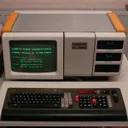
Zeit für richtige Computer hier

DAS ist ein "richtiger Computer"
Dafür wurden eigens Gebäude für entwickelt!